The Heureka app sends your products to the largest price comparison site in Czechia and Slovakia. One app covers two sites, and each one gets its own feed:
- Heureka.cz for Czechia, in Czech and in Czech crowns.
- Heureka.sk for Slovakia, in Slovak and in euros.
The app also sends your orders to Heureka's review program, Ověřeno zákazníky (Overené zákazníkmi on Heureka.sk). And it measures which Heureka clicks become orders.
The app installs on every plan and has no page of its own. You set it up in Feeds.
Before you start
- Czechia, Slovakia or both in your markets.
- You need a Heureka shop account for each country. If you are new to Heureka, you register your shop during setup.
- For the review program you need the 32-character secret key from Ověřeno zákazníky (Heureka.sk: Overené zákazníkmi) in your Heureka account. A Czech and a Slovak shop each have their own key.
- For conversion tracking you need the public key from Měření konverzí (Heureka.sk: Meranie konverzií) in your Heureka account. It is not the review program's secret key.
- Match your categories before the feed goes live. Changing a live product's name, category or address makes Heureka pair it again.
Set up Heureka
Open the App Store, find Heureka and select Install. See App Store.
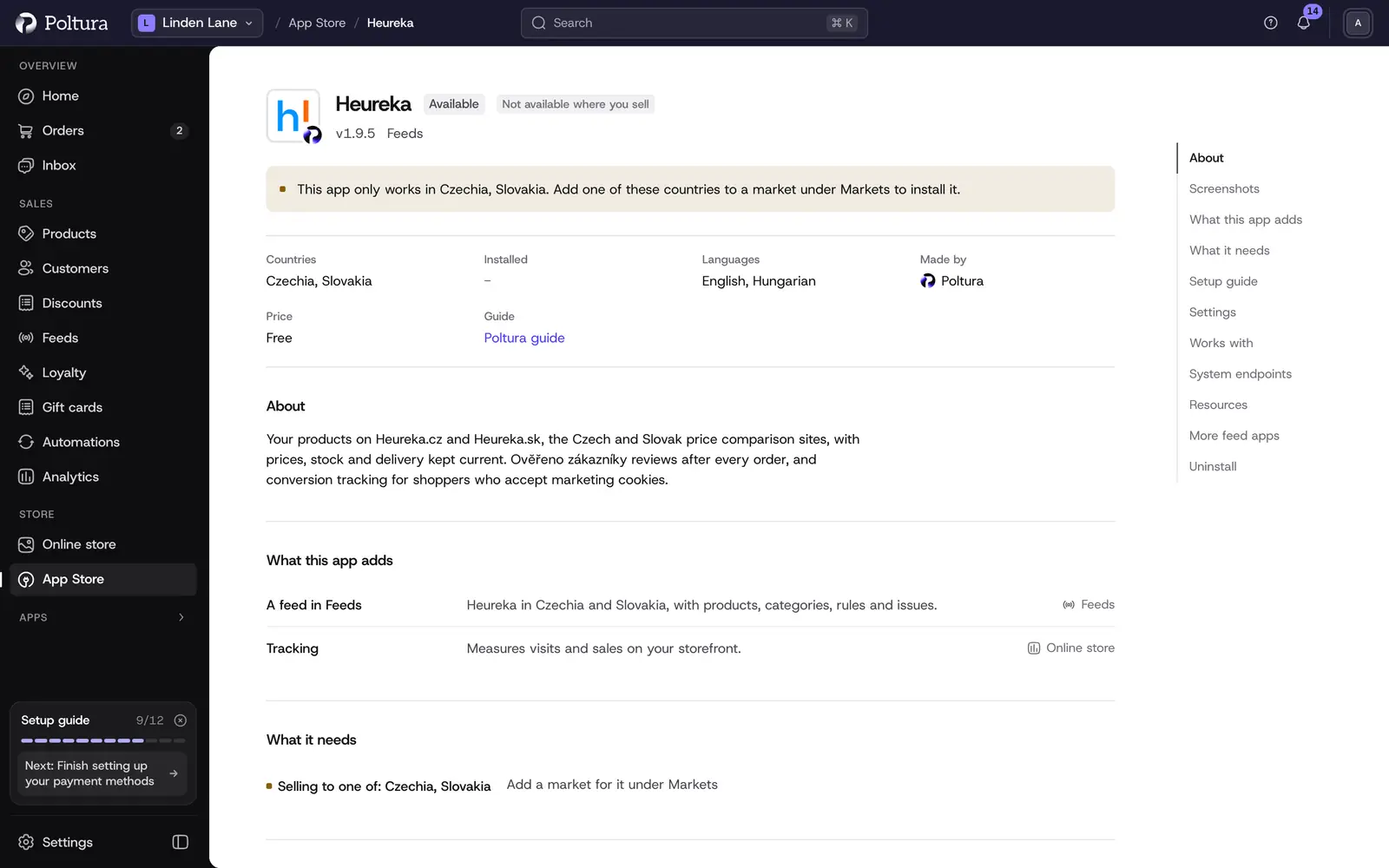
Heureka in the App Store, before you install it. Open Feeds, select Add feed and choose Heureka under Ready to set up.
On Market, choose the Czech or the Slovak market. The other country is a second feed that you add the same way.
On What we send, go through the checklist: Heureka carriers, delivery cost, handling time, matched categories and barcodes. Then select Create the feed.
On Feed address, copy the address. Sign in to your Heureka shop account and open Nastavení – informace o e-shopu (Heureka.sk: Nastavenie – informácie o e-shope).
Paste the address into URL adresa XML importu and select Upravit obchod (Heureka.sk: Upraviť obchod) at the bottom of the page.
Back in Poltura, select I have pasted it.
New to Heureka? Register your shop on Heureka instead. In the last step of the registration, paste the address into URL adresu XML feedu. Heureka checks a new shop within 2 working days. After that it downloads the file every 2 hours with paid clicks, and every 4 hours on its free plan.
The general steps of a feed are in Add and set up a feed, and matching categories in Category mapping.
Settings
You find these on the feed's Settings tab. The Czech and the Slovak feed each have their own.
- Heureka carrier for each shipping method: Heureka shows delivery prices only for carriers on its own list. Pick the carrier each of your shipping methods uses. Methods you leave empty are not sent. When two methods share a carrier, Heureka gets the cheaper price. Delivery prices in the feed replace the ones in your Heureka account.
- Send orders to Ověřeno zákazníky (on the Slovak feed: Send orders to Overené zákazníkmi): after each order Heureka emails your buyer a short survey and collects reviews of your shop. Only orders of the feed's own market are sent.
- Secret key: the 32-character key from your Heureka account. The key of one country does not work on the other.
- Conversion tracking: tells Heureka which clicks became orders, so its statistics show what your clicks earn.
- Public key: the conversion measurement key from your Heureka account.
- Show the Heureka.cz logo in the footer (on the Slovak feed: Show the Heureka.sk logo in the footer): a link to Heureka. This is not the Ověřeno zákazníky certificate badge. Heureka gives you the code of that badge in your account once you earn it.
What shoppers see on your storefront
While the feed is live, on the storefront of its own market:
- The Heureka logo in the footer, in the Partner badges section, when you turned it on.
- With the review program on, an unticked box at checkout worded as Heureka requires, for example "I do not agree to receive a satisfaction questionnaire from the Ověřeno zákazníky programme, which helps us improve our services." A buyer who ticks it is not sent to Heureka.
- A paragraph about the program in your privacy notice. Heureka requires both the paragraph and the box.
- With conversion tracking on, Heureka's measurement code on product pages, where it keeps the click that brought the shopper, and after each order, where it reports the order number, the products by the ITEM_ID your feed sends, their prices with VAT and the products' total without delivery. It runs only for shoppers who accept marketing cookies, and never on the checkout steps. A paragraph about it is added to your privacy notice. Heureka.cz counts orders in Czech crowns, Heureka.sk in euros.
The review program adds no script to your pages. Poltura sends the buyer's email, the order number and the products to Heureka from the server, so the secret key never appears on a page.
If something goes wrong
- Heureka refused your key. The checklist asks you to paste the secret key again. Copy it from Ověřeno zákazníky in the account of the same country as the feed.
- No order reaches the review program. Your shop has no published privacy notice, or the program's paragraph is switched off. Heureka requires the paragraph, so Poltura sends nothing until it shows.
- Heureka's statistics show no conversions, or "MISSING_ITEMS" or "PRICE_DONT_MATCH". Conversions count only for shoppers who accepted marketing cookies, in the site's currency, on your own domain. Check that the public key matches the one under Měření konverzí.
- No shipping method matched to a Heureka carrier. The products go to Heureka without delivery prices. Pair your shipping methods under Heureka carrier for each shipping method.
- Heureka shows "Info v obchodu" instead of a delivery time. Your store has no handling time. Set how many days you need to ship a paid order.
- Not in stock and no date it can be shipped. Heureka does not show such a product. Add stock to it.
- Barcode is not EAN-13. Correct the barcode on the product.
- A product lost its place on Heureka. You changed its name, category or address, and Heureka pairs it again: usually in 4 to 7 days, 14 to 21 days in categories that require an EAN, and about a month for clothing and fashion.
Other problems are covered in Feed issues.