The MPL app connects your store to MPL, the parcel service of Magyar Posta. Shoppers choose home delivery, a PostaPont or a parcel locker inside Hungary, or an international parcel abroad. When you fulfill the order, the app books the shipment and stores the label on the order. It closes the dispatch list for you once a day and follows the parcel status on its own. It is for merchants who send from Hungary with an MPL contract.
The app needs "Courier apps" on your plan, which Plus and Pro include. See Plan and billing.
Before you start
- You need an MPL contract. With it Magyar Posta gives you your vevőkód (customer number) and at least one megállapodáskód (agreement code).
- You need an application on the MPL Devportal at
https://devportal.posta.hu. It gives you an API key and a secret. Sandbox and production have separate key pairs. - If you accept cash on delivery, you need the bank account MPL should pay the collected amounts to.
- If you sell outside the EU, every product variant needs an HS code, a country of origin and a weight.
Set up MPL
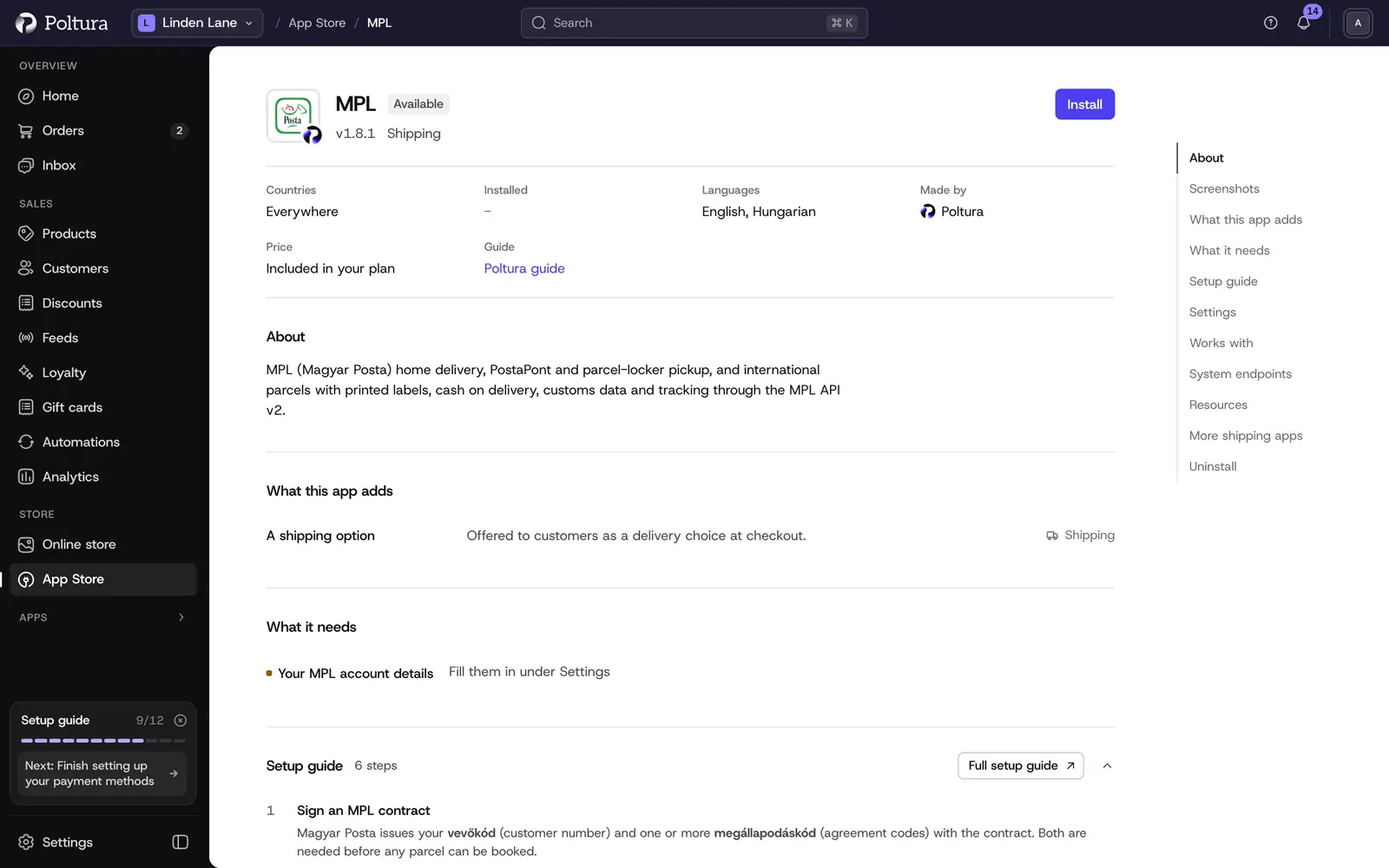
Open Apps → App Store, open MPL and select Install. Installing works the same for every app, see App Store.
In the Settings section, enter the API key, the secret, the vevőkód and the agreement code, and leave Environment on
sandbox.Fill in the sender fields and, for cash on delivery, the COD bank account. All fields are described under Settings.
Select Save in the save bar.
Select Check the credentials. The message The credentials work. confirms that MPL accepted the key and the secret.
Select Turn on. The status of the app changes to Active.
Open Settings → Delivery and go to the shipping settings of the location you ship from. Select Connect a courier and connect MPL to the location.
In the shipping zone that covers Hungary, select Add rate, type the Rate name the shopper sees at checkout, choose MPL under Courier, enter your price and save. Checkout now offers the rate.
A rate added this way is an MPL home delivery rate. To offer PostaPont and parcel locker pickup, or international parcels in your zones outside Hungary, turn on developer mode, add a shipping option for the zone and choose the entry ending in "MPL PostaPont / parcel locker" or "MPL international parcel" under Provider and delivery. See Locations and shipping.
The prices are the ones you set. The app does not ask MPL for live rates.
Settings
- Environment:
sandboxorproduction. The sandbox never forwards data to the postal systems. New installs start onsandbox. - API key (client id) (required): the application key from the MPL Devportal.
- API secret (required): the secret that goes with the key. It is stored encrypted.
- Vevőkód (accounting code) (required): your customer number from the MPL contract.
- Megállapodáskód (agreement code) (required): the contract code your parcels are booked against. One agreement per store.
- COD bank account: the bank account MPL transfers the collected cash on delivery amounts to. Required if you accept cash on delivery.
- Sender name (required): the company or person MPL prints as the sender.
- Sender email (required): the contact address MPL uses for shipment notifications to you.
- Sender phone (required): the number the courier can reach you on at pickup.
- Sender postcode (required), Sender city (required) and Sender street address (required): the pickup address. The postal code is a four-digit Hungarian one, and the street and house number go in one line.
- Default parcel size:
S,MorL. It is used for every parcel. A size per parcel cannot be set yet. - Pickup retention (days):
5or10. How long a PostaPont or a locker holds the parcel before sending it back to you. - Daily close time: the time, as
HH:mm, when the app closes the day's dispatch list. It is always Hungarian time, whatever time zone your store uses. The default is17:00.
What shoppers see at checkout
- Home delivery and pickup are offered for Hungarian addresses only.
- For a pickup rate the shopper selects Select a pickup point and searches by name, city or postal code. They can filter the list to PostaPont or Parcel locker. They cannot continue to payment without choosing one.
- The international rate is for addresses outside Hungary.
Day to day
- Open the order and select Fulfill items. Creating the fulfillment books the shipment at MPL and stores the label. See Fulfill and ship.
- If the order was placed with pay on delivery, the order total is sent as the cash on delivery amount. MPL collects it in HUF only and pays it to the COD bank account.
- Parcels cannot be handed over until the dispatch list is closed. The app closes it once a day at the Daily close time. After that the parcel shows Closed and a Manifest link to the dispatch list.
- The order page has an MPL parcels panel with Label, Manifest and Track for each parcel, the service and the pickup point. See Parcels.
- The parcel status is checked every 4 hours. A delivered parcel marks the fulfillment as delivered. Needs attention and a delivery problem line flag parcels you should look at.
- Canceling the fulfillment deletes the shipment at MPL. This only works before the daily close. See Cancel a fulfillment.
- Return labels are not created by the app. Create a return in the MPL portal.
International parcels: MPL Europe Standard goes to Austria, Belgium, Czechia, Germany, Luxembourg, the Netherlands, Poland, Slovenia and Slovakia. For destinations outside the EU the app sends customs data, and the fulfillment is refused if a variant has no HS code, country of origin or weight.
If something goes wrong
- The credential check says MPL rejected the credentials. Check the key and the secret. Sandbox and production have separate pairs, so they must match Environment.
- "MPL sender details are incomplete". The message names the missing sender fields. Fill them in and save.
- "MPL settles cash on delivery by transfer: set the COD bank account". Fill in COD bank account, then fulfill again.
- "MPL collects cash on delivery in HUF only". The order is in another currency. The shopper has to pay another way.
- The shipment can no longer be deleted. The daily close has run. Sort the parcel out with MPL.
- The shopper is told that MPL home and PostaPont delivery are only available inside Hungary. Offer the international rate in the zones outside Hungary.
- A fulfillment outside the EU is refused. Fill in the HS code, the country of origin and the weight on every variant in the order.