Products is your catalog: every item you sell, with its text, images, versions, prices and the groups it belongs to. This section explains the product list and each page you use to build and maintain the catalog.
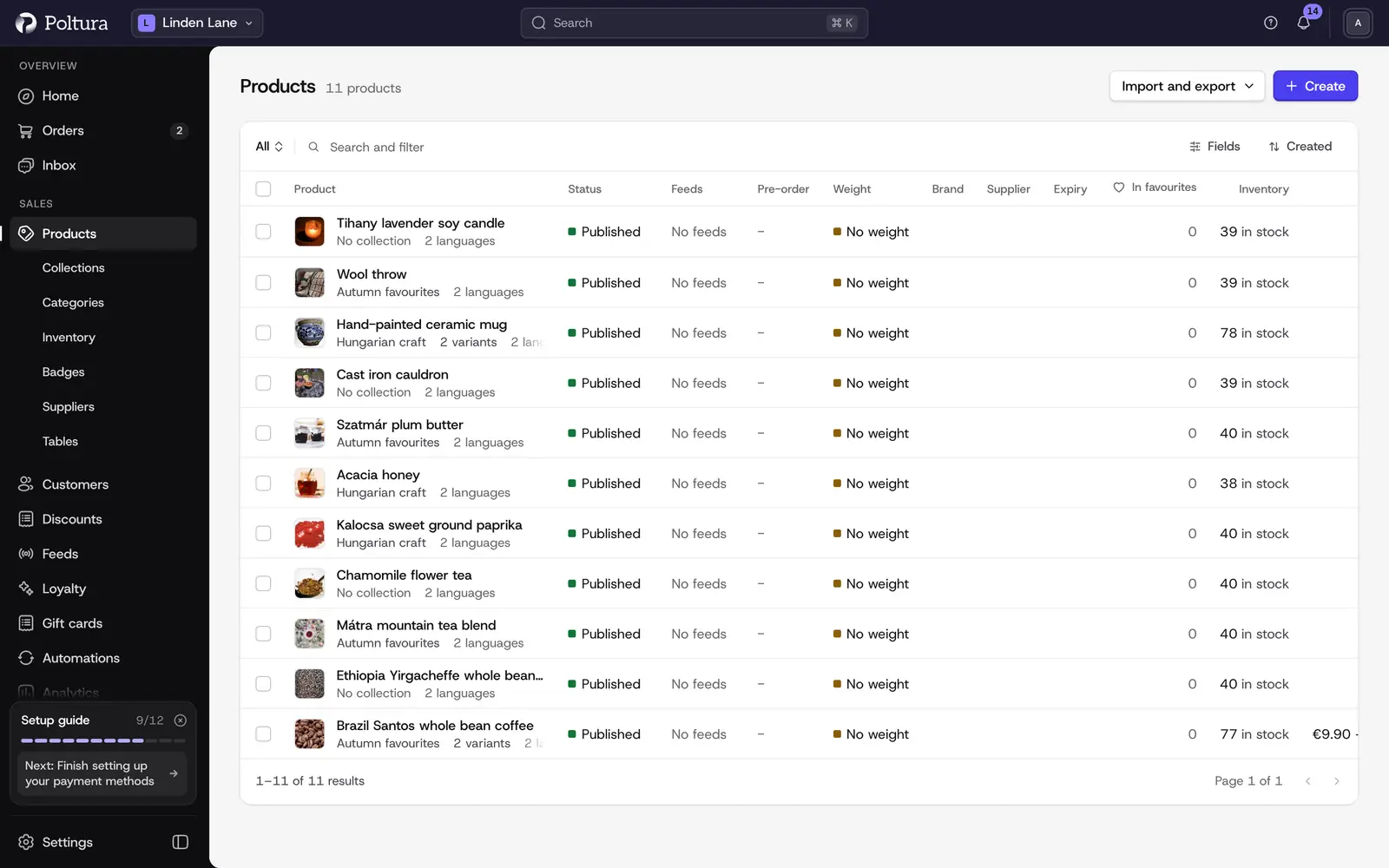
The product list
Open Products in the sidebar. Each row shows the product with its thumbnail, and you can show or hide the Collection, Sales Channels, Variants, Status and Created columns with Columns. When your store has more than one language, a Translations column shows which languages are done.
- The tabs above the list narrow it by status: All, Published, Proposed, Draft and Rejected.
- Search, the status, collection, type and date filters and Sort work together. You can keep a combination as a saved view, see Admin basics.
- On a wide screen, one click on a row opens a side panel with the essentials of the product. A second click,
Enteror View details opens the full product page, and Edit opens its details for editing. The up and down arrow keys move between rows. On a narrow screen a click opens the product page straight away. You can turn the side panel off under Settings → Profile. - Tick several rows to delete them in one go. Deleting is the only bulk action on products.
- Create, Import, Export and Product details for feeds sit at the top right of the list.
What each page covers
- Create a product: a new, empty product page where you enter text, images, price, stock, shipping data and options.
- Edit a product: the product page, its sections, status, organization, attributes and deleting.
- Variants and options: sizes, colors and other choices, and the versions built from them.
- Prices: one price per currency for every version.
- Images and media: uploading, ordering, the thumbnail and images per version.
- Import and export: moving many products in and out with CSV files.
- Product readiness checks: what still stops a customer from buying a product.
- Collections and Categories: the two ways to group products for shoppers.
- Product types and tags: shared names and labels used for filtering and rules.
- Attributes: structured specifications that also become filters.
- Tables: size charts, ring sizes, nutrition and other tables on product pages.
- Tabs: the order of the tabs on product pages, your own text tabs, and hiding a tab on one product.
- Warranty policies: reusable warranty terms shown on product pages.
- Bundles: kits, extras, sets and buy X, get Y offers.
- Reviews: moderating customer reviews and review request emails.
- Digital products: license keys and downloadable files.
Stock quantities are covered in Inventory and Stock per location.
Good to know
- Your plan sets how many products a store can hold. When you are over the limit, the list shows a notice and the newest extra products are marked as restricted until there is room again. They are never deleted. See Plan and billing.
- Product statuses are Draft, Proposed, Published and Rejected. New products start as Draft unless you choose otherwise.
- There is no bulk editing, bulk publishing or product duplication. To change many products at once, use Import and export.