You make a table once and every product it fits shows it. It can be a size chart, ring sizes, shoe sizes, nutrition, specifications or anything else with rows and columns.
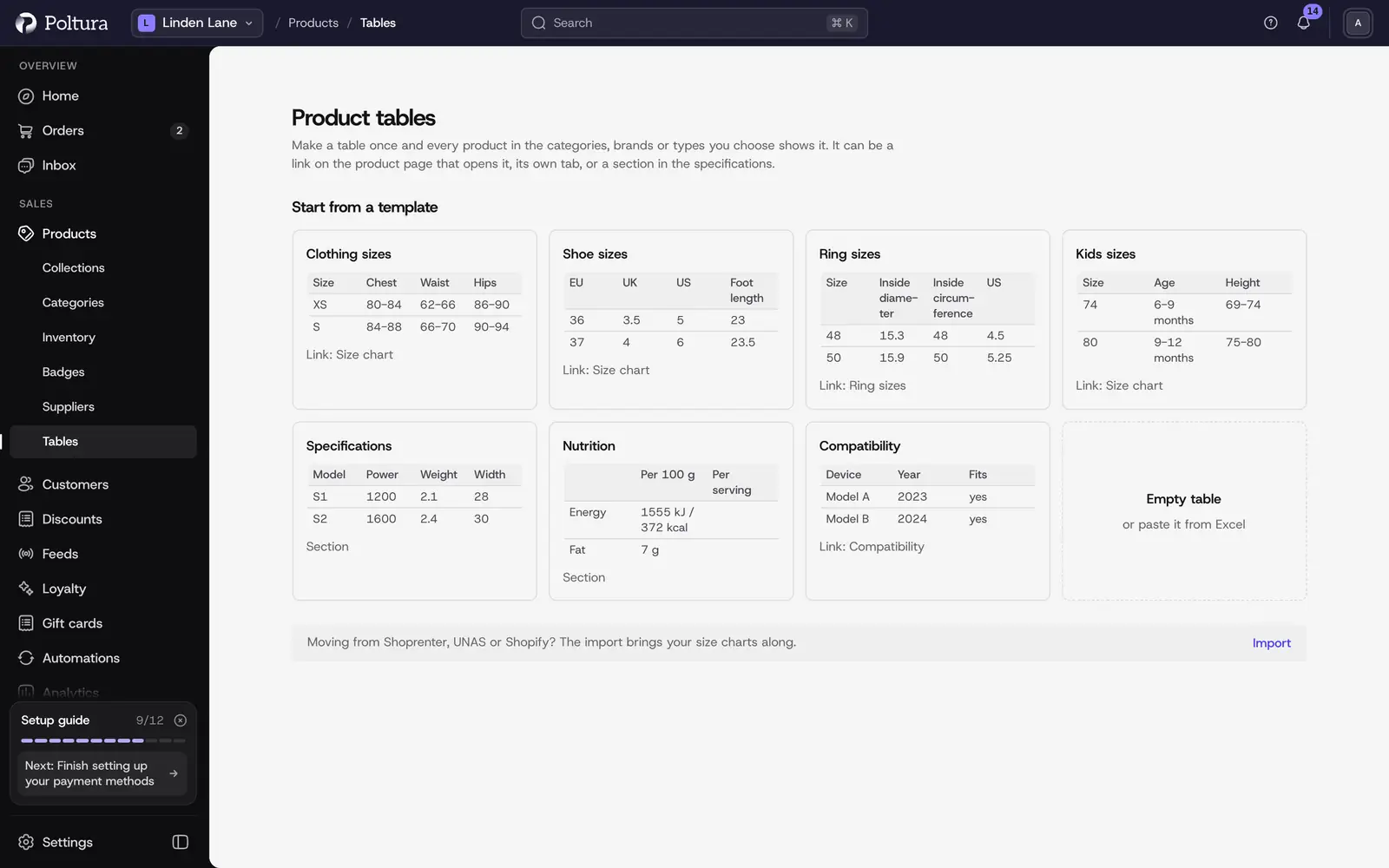
Create a table
Open Products → Tables and choose New table.
Pick a template such as Clothing sizes or Nutrition, or start from Empty table.
Change the Name. Shoppers see it at the top of the table.
On the Table card, edit the cells, or choose Paste from Excel and paste your table. The first row becomes the header and the first column the size.
Choose Save.
Each column has a type, Text, Number or Range (such as 88–92), and can have a unit. Numbers and ranges show in the shopper's language, such as 7.5 or 7,5.
Where it shows on the product page
The Label is the link text, the tab title and the section heading. You can pick any of these together:
- As a link: next to the size picker; it opens in a side panel, and from the bottom on phones.
- As a tab: its own tab next to the description. You set the order of tabs on the Tabs page.
- As a section: in the specifications, below the attributes, always visible. Good for nutrition and specifications.
With Shoppers can pick from the rows on, when the first column matches a variant such as M, shoppers tap the row to select that size.
With Shoppers can switch the unit on, shoppers switch between cm and inches, g and ounces, °C and °F. They start with their market's units.
Which products show it
On the Where it applies card you add categories, brands, product types or single products. A category covers its subcategories, and new products get the table automatically.
When several tables with the same label fit a product, the most specific wins: one picked on the product, then the nearest category, the brand, and last the product type.
On a product's page, the Tables card shows which tables shoppers see and why. You can add a table to that product directly, or take one off just that product with Hide.
Translation
On the language tabs you translate the words: the name, label, intro, column headings and text cells. Numbers are written once and stay the same in every language. When a language is missing, shoppers see the base language.