When a product cannot be bought, shoppers can leave their email address and get one email when it can. Notify me is part of every plan.
Where it shows
The Notify me form appears on the product page when the selected variant:
- is Coming soon: its pre-order opens later;
- is sold out on pre-order, or its pre-order is paused;
- is out of stock and does not continue selling when out of stock.
A variant that keeps selling when out of stock can be bought, so it has no form.
The form is one email field. A signed-in customer finds their address filled in. Under the field there is an unticked Also subscribe to the newsletter box.
The form is on by default. To hide it, switch off Show Notify me in the product page settings of the Customizer.
What the shopper agrees to
A Notify me request asks for one message about one product. It is not consent to marketing:
- The address is not added to your newsletter list. Only a shopper who ticks Also subscribe to the newsletter is subscribed, with the usual proof of consent. See Newsletter.
- The email names the product, its price and that it can be bought now or pre-ordered, with one link. It carries no offers.
- The store keeps the proof of the request: the time, the page, the language, the browser and the IP address in a form that cannot be read back.
- The form is protected by a captcha and a limit on how often it can be sent. Its answer never reveals whether an address had already asked.
- Addresses that have bounced or complained get no email.
Double opt-in
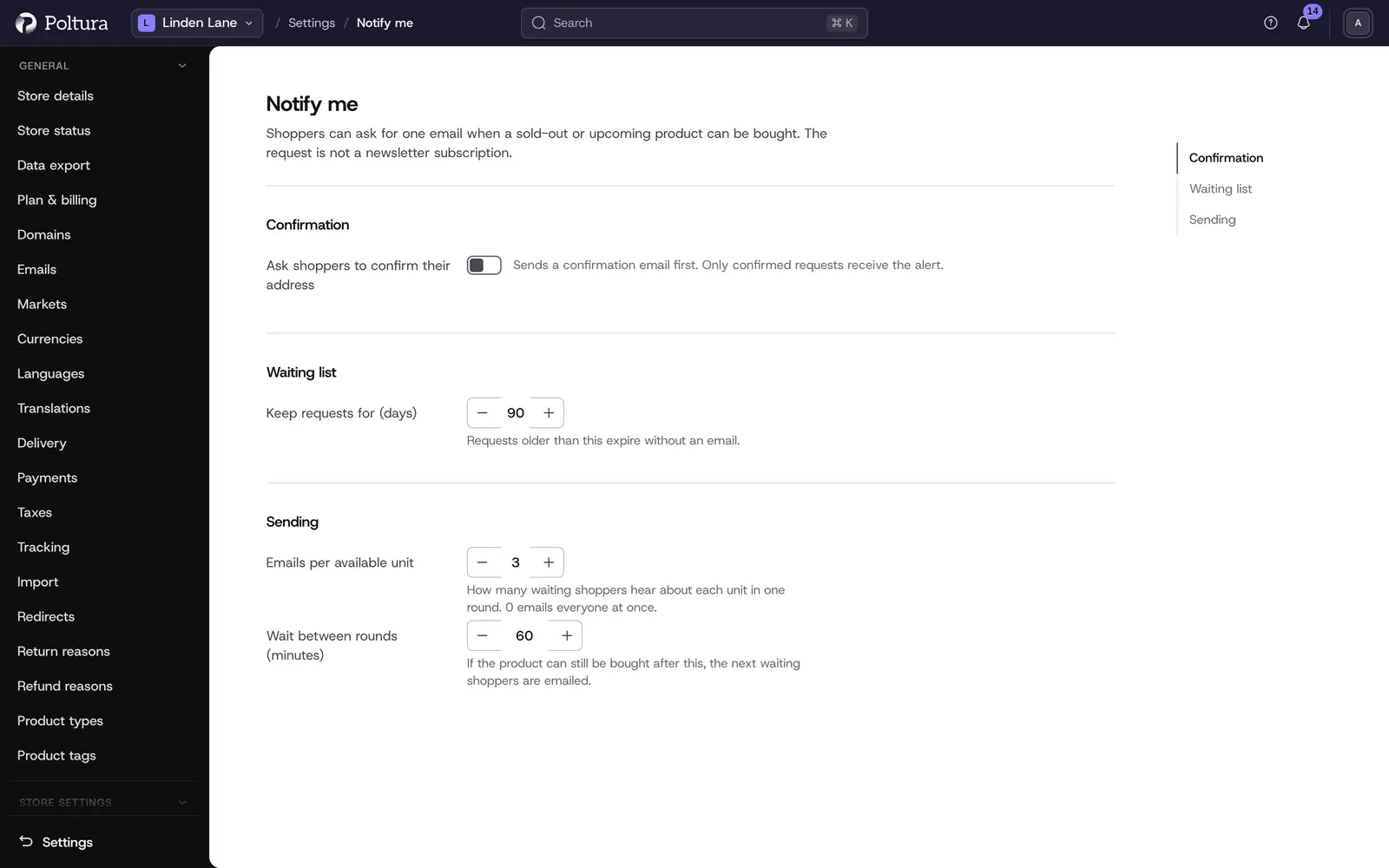
With double opt-in on, the shopper first gets an email with a confirmation link. Only a confirmed request is ever sent. It is off by default. Switch it on in the settings if you want proof that the address belongs to the person who asked.
When the emails go
The store sends the emails when the variant becomes available: its pre-order opens or is released, a sold-out pre-order has room again, or stock arrives.
The emails go out in batches, the oldest requests first, so that a few units do not bring hundreds of shoppers to a sold-out page:
- One batch holds a set number of requests for each available unit, 3 by default. With 10 units, the 30 oldest requests are sent. When the quantity is unlimited, or the number is set to 0, everyone is emailed at once.
- If the variant can still be bought after a wait, 60 minutes by default, the next batch goes.
- Each request is used once. A shopper who wants to hear about the next restock asks again.
The waiting count of each variant is shown in the product's Pre-order section and on the Pre-orders page. Select Send now there to send a batch without waiting.
Expiry and canceling
- A request expires after 90 days by default. You can change this in the settings.
- Every email has a link that cancels the request.
- Signed-in customers see their requests under Product alerts in their account and can remove them there.
- Sent, canceled and expired requests are deleted 30 days later.
Erase an email address
When a customer asks you to delete their data, erase their requests as well.
Open Settings and choose Notify me under Store settings.
Select Erase email and enter the address.
Confirm. Every request of that address is deleted.
Deleting a customer deletes their requests too.
Notify me settings
Open Settings and choose Notify me under Store settings.
Change the settings you need and select Save.
- Ask shoppers to confirm their address: double opt-in, the shopper confirms by email first. Off by default.
- Keep requests for (days): the number of days after which a request expires. 90 by default.
- Emails per available unit: how many waiting shoppers hear about each unit in one round. 3 by default. With 0, everyone gets the email at once.
- Wait between rounds (minutes): minutes before the next round goes, if the variant can still be bought. 60 by default.
The texts of the confirmation and the "available" email can be edited like any other email. See Emails.
Good to know
- Notify me works on every plan. Pre-orders need the Plus or Pro plan.
- A shopper can have one waiting request per variant. Asking again for the same variant does not send a second email.
- The emails are sent in the language the shopper used on the store.
If something goes wrong
- The form does not show. Check that Show Notify me is on in the Customizer, and that the selected variant really cannot be bought. A variant that continues selling when out of stock has no form.
- A shopper got no email. With double opt-in on, the request counts only after confirmation. The request may also wait for a later batch, or have expired.