The Revolut app takes payments through your Revolut Business merchant account. Shoppers pay by card, with Revolut Pay, or with Apple Pay and Google Pay, and they stay on your checkout page the whole time: there is no redirect. The app works on every plan.
Before you start
- You need a Revolut Business account with a merchant account in it.
- You need the secret and the public Merchant API key. Revolut explains where to generate them at
https://developer.revolut.com/docs/guides/accept-payments/get-started/generate-the-api-key. - Revolut has a sandbox for testing with its own keys. Real payments need Revolut's approval of your merchant account.
Set up Revolut
Open Apps → App Store and open Revolut. New stores have it installed already. If yours does not, select Install. Installing works the same for every app, see App Store.
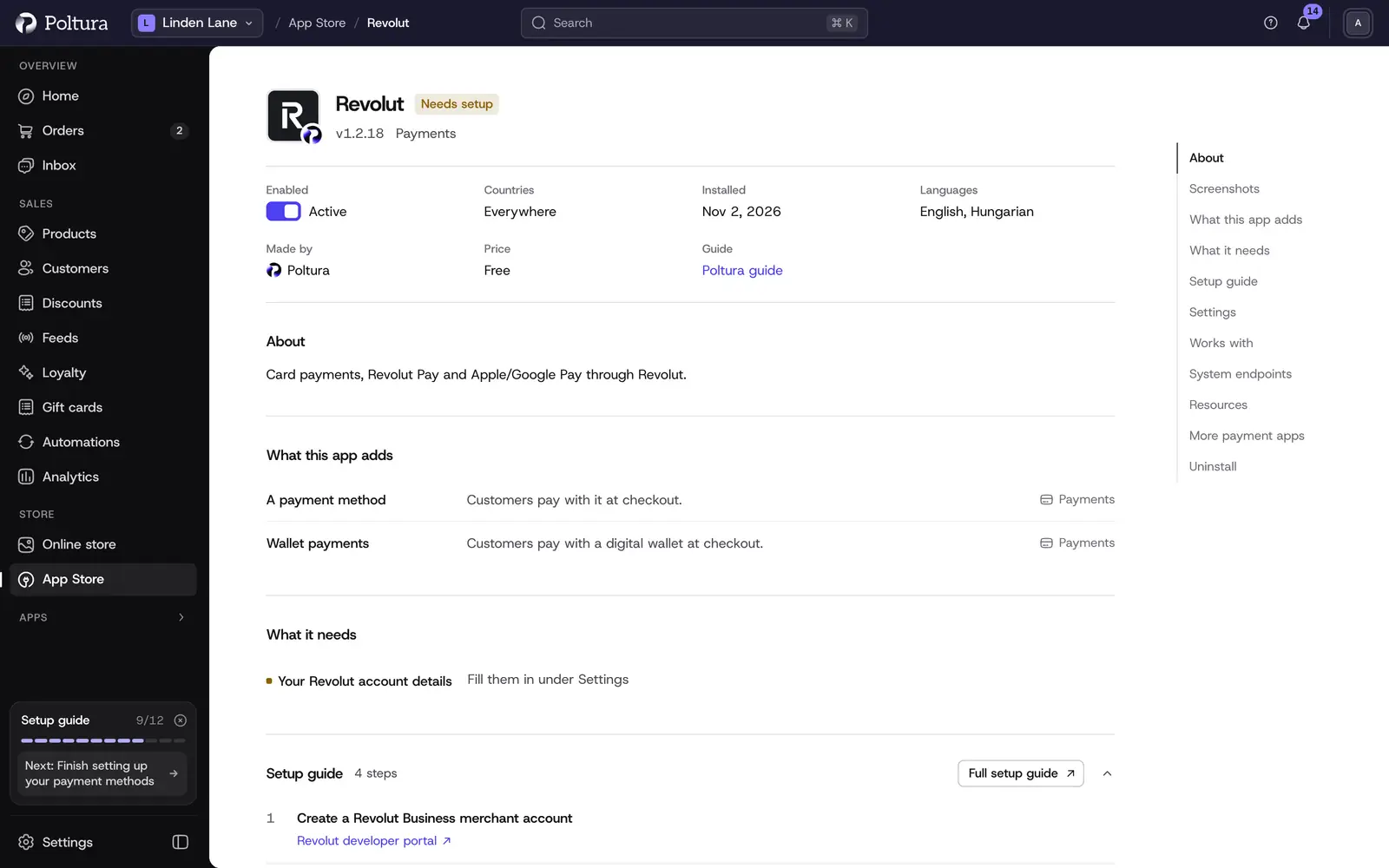
Revolut shows Needs setup until you fill in its settings. In the Settings section, enter the Secret API key and the Public API key of your sandbox account and leave Environment on
sandbox.Select Save in the save bar.
Select Check the credentials. The message The credentials work. confirms that Revolut accepted the key. The check also registers the payment webhook with Revolut, and Webhook secret changes to Provisioned.
Select Turn on. The status of the app changes to Active.
Open Settings → Payments. Revolut is listed under Payment methods with the status Ready.
Shoppers now see Revolut at checkout in every currency it can charge, on every domain. See Payments.
Place a test order in the sandbox.
When Revolut has approved your account, enter the production keys, change Environment to
production, save and check the credentials again.
Settings
- Secret API key (required): your Revolut Merchant API secret key. It is stored encrypted and is never shown again after you save it.
- Webhook secret: you do not fill this in. Revolut issues it when Poltura registers the payment webhook, which happens when you check the credentials. It shows Provisioned or Not provisioned yet.
- Public API key: the public key of the same merchant account. The payment form in your checkout uses it, so fill it in even though it is not marked as required.
- Environment:
sandboxorproduction. Sandbox lets you test before Revolut approves your account for production. New installs start onsandbox.
What shoppers see at checkout
One app brings three ways to pay, and they are switched on and off together:
- Card payment: a card form inside your checkout, with the cardholder name and the card details, and a Pay now button. The card details are handled by Revolut and never reach your store.
- Card payment or Revolut Pay: Revolut's own payment button, for paying with Revolut Pay or a card.
- Apple Pay and Google Pay buttons, on devices and browsers that support them.
Day to day
- Revolut authorizes the amount at checkout. It is charged when you capture the payment. Open the order and select Capture payment. The full amount is captured. See Payments and refunds.
- You can refund a captured payment in full or in part with Create Refund. See Refund an order.
- Canceling an order that was not captured cancels the payment at Revolut.
If something goes wrong
- The credential check asks for the secret API key. The field is empty. Enter the key and save first.
- The check says Revolut could not be reached. The key does not match the system selected in Environment, or Revolut is not answering. Check the key and try again.
- Webhook secret stays on "Not provisioned yet". Run Check the credentials again after saving a valid secret key.
- The shopper sees "Failed to load the payment form." Check that the Public API key is filled in and belongs to the same system as the secret key.
- The shopper is asked to complete their email, cardholder name and billing address. These are needed before a card payment can start.
- Revolut does not appear at checkout. Open Settings → Payments and check the status. Setup incomplete means the secret key is missing, Off means the app is switched off.