Every order has a comment thread for your team in its Activity section. Use it for the things a colleague needs to know when they open the order: what the customer said on the phone, why a parcel is on hold, who is looking into a problem.
Comments are internal. Customers never see them.
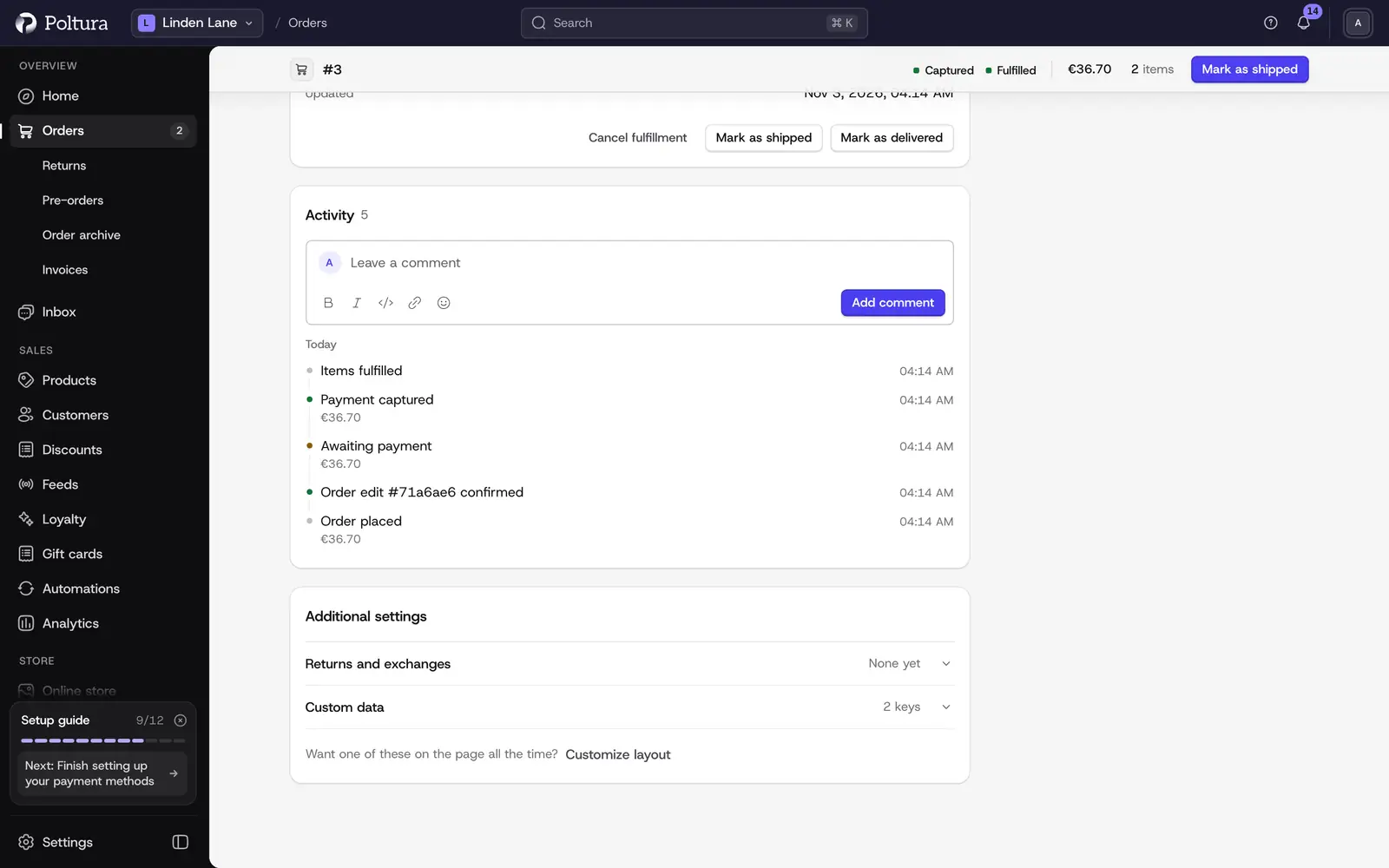
Add a comment
Open the order and go to Activity.
Click the Leave a comment box and write your note.
Use the buttons under the box to format the text: Bold, Italic, Code and Link. Add emoji opens the emoji picker.
Select Add comment.
Your comment appears in the activity feed with your name and the time.
To add a link, select Link, fill in the Link text, paste the address and select Add link.
Mention a teammate
A mention tells a colleague that the comment is for them.
In the comment box type
@and the first letters of the name.Pick the teammate from the list. Use the arrow keys and
EnterorTab, or click the name.Finish the comment and select Add comment.
The teammate gets a "Mentioned in an order comment" alert.
The list offers the members of your team by name. Mentioning yourself does not send an alert.
How each person receives alerts is their own setting. See Notifications and alerts.
Edit or delete a comment
Open the order and find your comment in Activity.
Select Edit, change the text and select Save. Select Cancel to leave it as it was.
To remove the comment, select Delete.
An edited comment carries the (edited) mark. If you add a new mention while editing, only the newly mentioned teammate is alerted.
What else is in the activity feed
The comments sit between the events of the order, in time order, so a note always reads in its context. The feed records when the order was placed, payments captured and refunded, items fulfilled, shipped and delivered, returns, claims and exchanges, order edits, transfers, and changes to the email address or an address.
Good to know
- You can edit and delete only your own comments.
- Comments stay on the order. They are not sent by email and do not appear on invoices or in the customer's account.
- Installed apps can read the comment thread of an order. A comment written by an app is marked App.
- To write to the customer, use the Inbox instead.
- Notes on a return are separate. See Handle a return.
If something goes wrong
- A teammate is missing from the mention list. They are not a member of the team yet, or their profile has no name. Invite them under People and roles.
- There is no Edit or Delete on a comment. It was written by someone else.
- The mentioned teammate got no alert. They may have switched that alert off in their own notification settings.